Feature Info
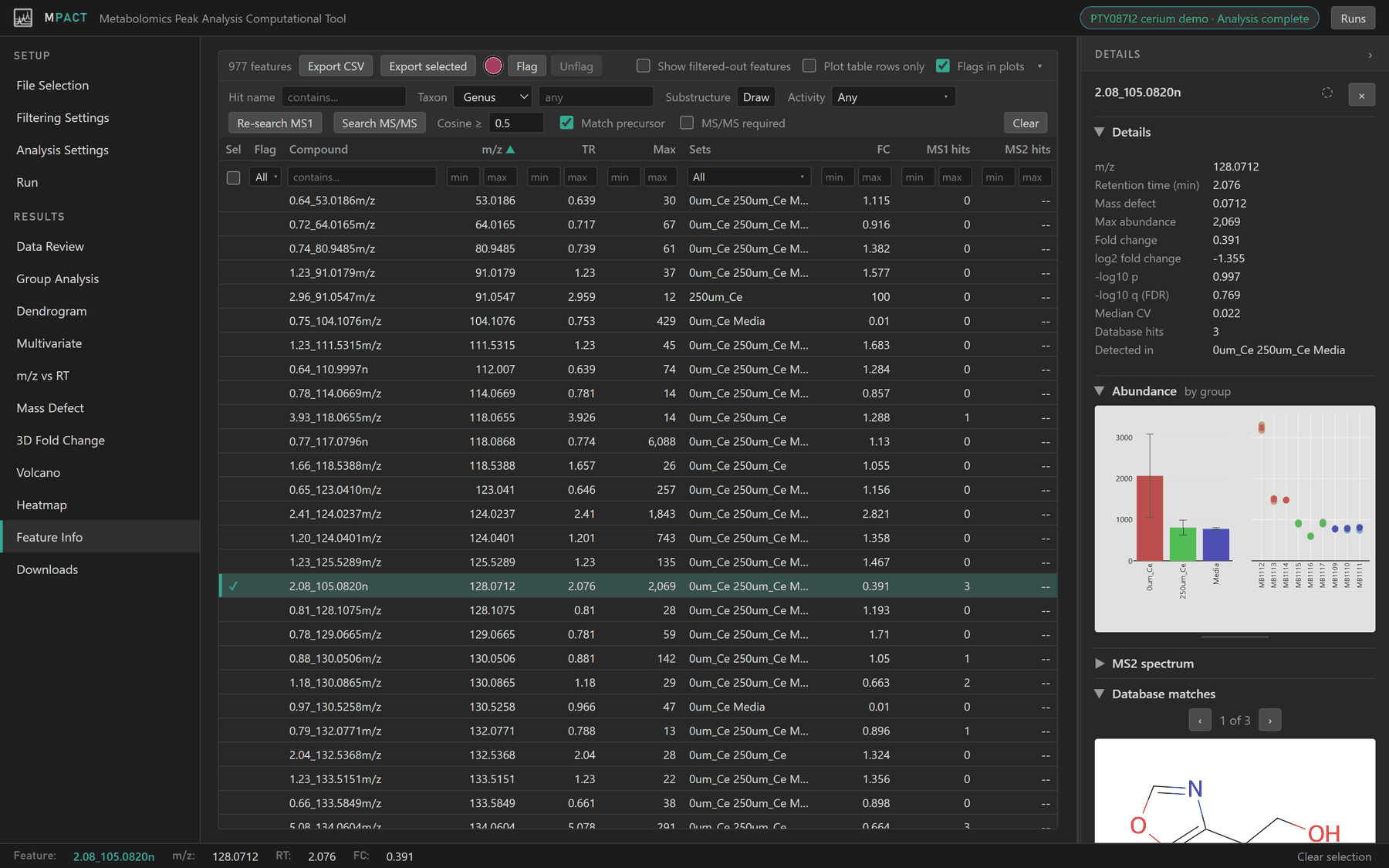
Every feature in one table, with the details panel beside it. The table holds the whole dataset at once rather than in pages, and the arrow keys move through it.
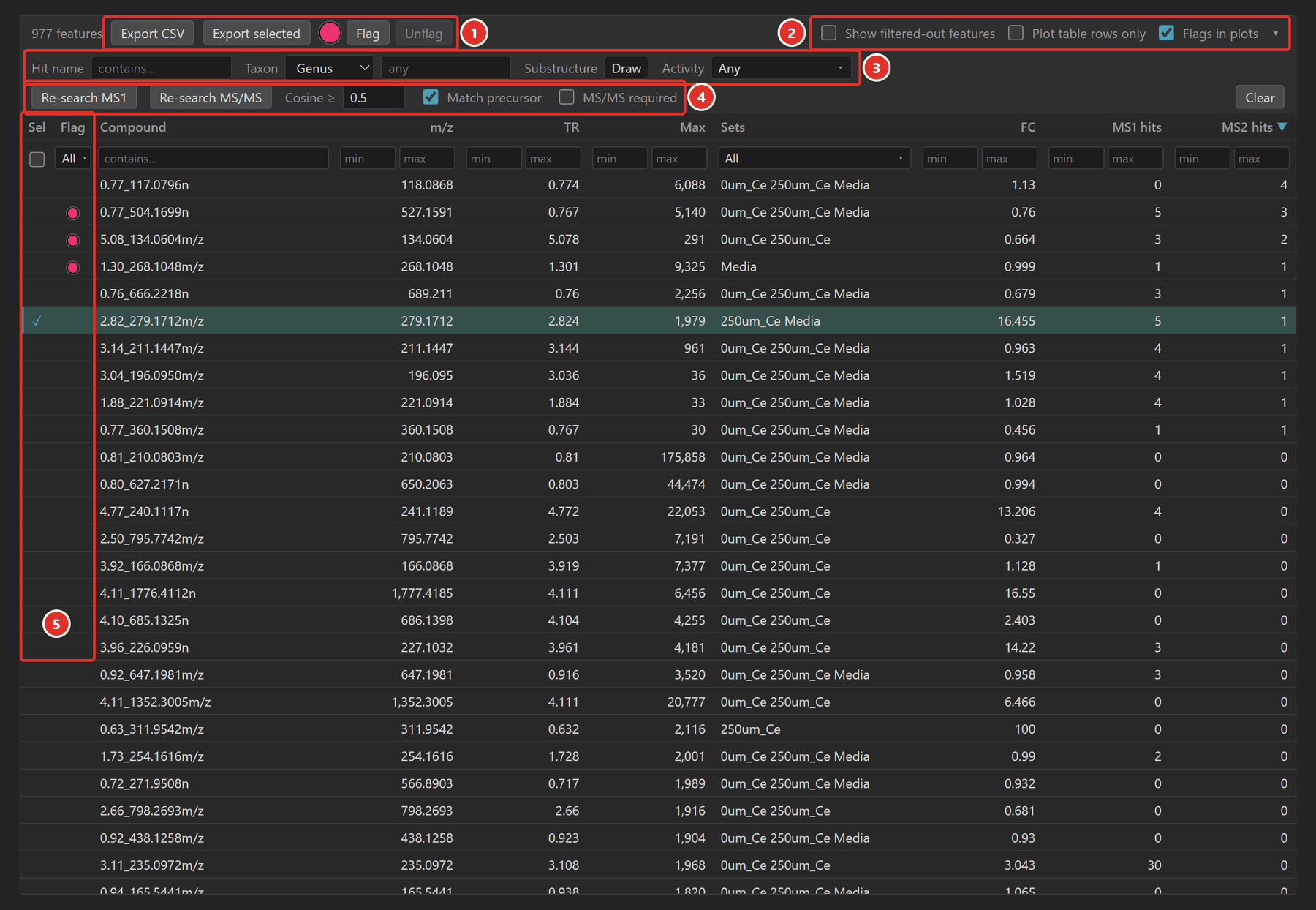
- Export and flags. Export CSV saves the table as currently filtered and sorted. Export selected saves only the selected features. Both include every per-feature column from the run plus each feature's best NPAtlas and MS/MS library match. With features selected, pick a colour and click Flag or Unflag.
- Display. Show filtered-out features adds the features removed by the filters, which are hidden by default. Plot table rows only limits every plot to the rows listed here. Flags in plots marks flagged features on the plots. The ▾ button hides or shows the filter rows.
- Hit filters. List only features with a database match that meets every criterion you set. See Filtering by database match.
- Searches. Run or re-run the MS1 and MS/MS searches. See below.
- Sel and Flag columns. Sel ticks the selected features; click a tick to add or remove that row. Flag shows each feature's flag colour; click the cell to flag that row with the current colour.
Columns
| Column | Contents |
|---|---|
| Compound | Feature ID from the peak table |
| m/z, TR | m/z and retention time (min) |
| Max | Highest group-average abundance |
| Sets | Biological groups the feature was detected in |
| FC | Fold change, experimental over control |
| MS1 hits | Number of NPAtlas compounds within the ppm window |
| MS2 hits | Number of MS-DIAL library spectra matched (after an MS/MS search) |
Click a heading to sort by it, and again to reverse the order. Clicking Sel or Flag lists selected or flagged features first, with the other sort still applied within each part.
The row under the headings filters each column: text for Compound, minimum and maximum for numbers, and a group list for Sets. The Sel box lists only the selected features. The Flag list can show only certain flag colours (tick) or hide them (cross). Clear resets every filter.
Database searches
MS1 search (Natural Products Atlas)
The first time you open Feature Info, every feature is matched against the
Natural Products Atlas by mass: a compound is a hit
when its [M+H]+ or [M+Na]+ ion is within the ppm threshold set in
Analysis Settings. The count
fills the MS1 hits column, and the hits themselves, with structures and
source organisms, appear under Database matches in the details panel.
Re-search MS1 runs the search again.
MS/MS library search
Available when the run has a fragment database. Search MS/MS compares each feature's MS2 spectrum with the MS-DIAL MS/MS library and fills the MS2 hits column. Matches appear in the details panel under the MS-DIAL tab of Database matches, and the MS2 spectrum is drawn as a mirror plot against the best match.
- Cosine ≥ (default 0.5): the minimum spectral similarity for a match.
- Match precursor (on by default): only library spectra whose precursor is within the ppm window are considered. Turn it off for an analogue search, which compares against the whole library with a modified cosine that also matches fragments shifted by the precursor mass difference. It finds related compounds with different masses, up to 200 Da apart.
- MS/MS required: list only features that have an MS2 spectrum.
Filtering by database match
The hit filters keep a feature when at least one of its NPAtlas hits meets every criterion you set.
- Hit name: part of the compound name.
- Taxon: a taxonomic level and name, such as genus Streptomyces. Start typing for suggestions.
- Substructure: click Draw to sketch a structure, or type SMILES or SMARTS. Only hits containing that substructure are kept.
- Activity: one or more compound classes.
- Electrophile: contains a reactive group such as an epoxide, β-lactone, β-lactam, Michael acceptor, quinone, aldehyde or isocyanate.
- Siderophore: listed in the SIDERITE siderophore database.
- Chromophore: a conjugated system of at least the given number of atoms (default 14).
Combine these with Plot table rows only to see where, for example, features with a Streptomyces electrophile hit fall on the volcano plot.