Analysis Settings
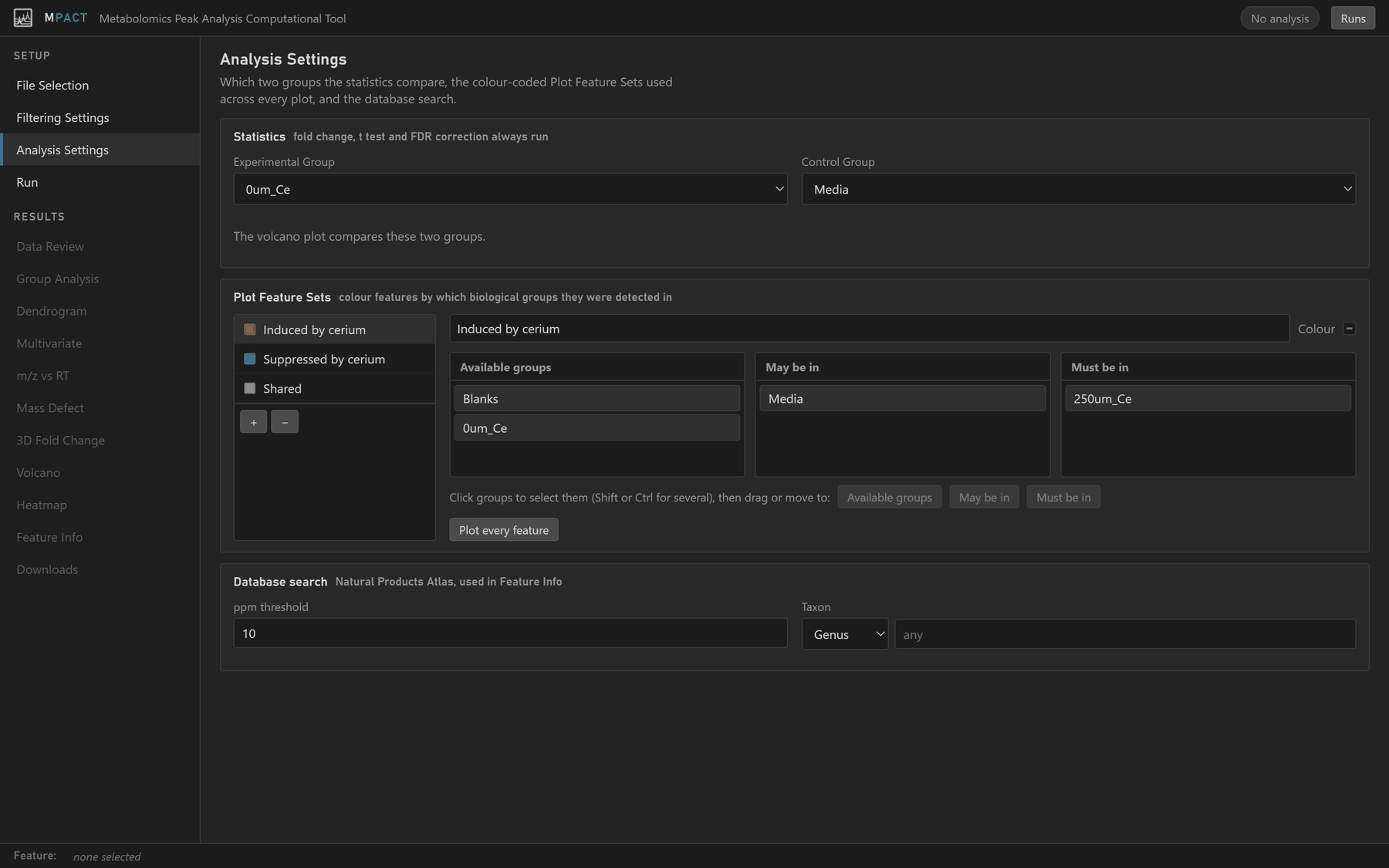
Statistics
Choose the Experimental Group and Control Group. Fold change (experimental over control), a t-test and Benjamini-Hochberg false discovery rate correction are always computed for this pair. They drive the Volcano and 3D Fold Change plots and the fold-change column in Feature Info.
Plot Feature Sets
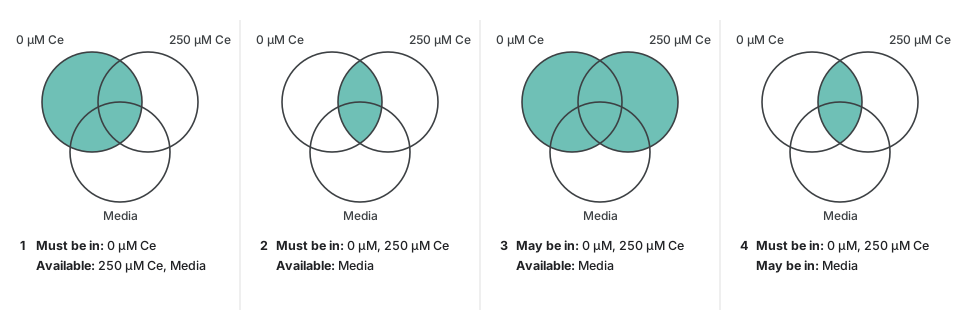
Plot Feature Sets decide which colour each feature is drawn in on the m/z vs RT, mass defect, 3D fold change and other feature plots, based on the groups it was detected in. Each set has a name, a colour, and three lists of groups:
| List | A matching feature is |
|---|---|
| Must be in | detected in every one of these groups |
| May be in | detected or not; these groups do not matter |
| Available groups | detected in none of these groups |
"Detected" uses the presence threshold from Filtering Settings. A feature that matches several sets is drawn once in each.
To edit the sets:
- + adds a set and − removes the selected one. Click a set in the list to edit it.
- Type a name in the box above the lists and pick a Colour.
- Click a group to select it (Shift or Ctrl for several), then drag it to another list or use the buttons under the lists.
- Plot every feature moves every group except the blank group into May be in, so the set colours every feature that survived filtering.
If you define no sets, one is made for you: Features not in blanks when blank filtering is on, otherwise All features.
Database search
Settings for matching features against the Natural Products Atlas (NPAtlas) in Feature Info.
- ppm threshold (default 10): the mass tolerance. A feature matches a
compound when its m/z is within this many ppm of the compound's protonated
(
[M+H]+) or sodiated ([M+Na]+) ion. - Taxon: limit matches to compounds reported from one taxon, at the level chosen (kingdom to species). Start typing to see suggestions. Leave it empty to search every compound.
The ppm threshold is fixed when the analysis runs. The taxon can also be changed afterwards with the hit filters on the Feature Info tab.